



Some hunters find use from adding custom, user-made waypoint symbols to their Garmin Alpha 100 or 200i. This can be done in both your handheld, and in BaseCamp by downloading custom waypoints from Garmin's user forums. In this article, we will be adding custom waypoints to a Garmin Alpha 200i unit.
NOTE: This is recommended for more advanced users. Deleting and moving internal files is usually inadvisable unless you have a firm grasp on transferring files from one device to another.
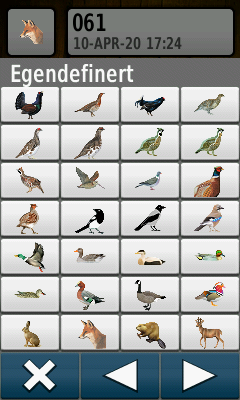

- Waypoint galleries are available on Garmin's forums here and here.
- Hog, Bear, Lynx, and other hunters are just a few of the useful custom waypoints available for download.


- To begin using custom waypoint symbols, you will first want to follow the above links to the posts on Garmin's forum.
- Or you may simply download the .zip file in this post: ( Icons for Alpha GPS and BaseCamp.zip ).

Once your download is finished, you should see it as a compressed (.zip) file in your "Downloads" folder when opening up File Explorer.
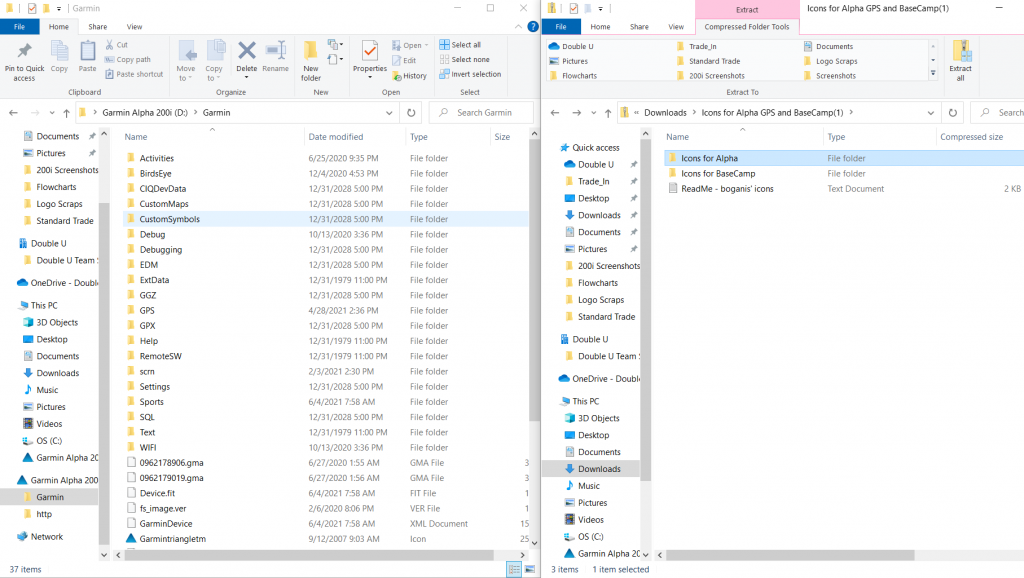
- Connect your Garmin 200i to your PC with the included data cable and wait to enter File Transfer mode on your device.
- Once your 200i unit is connected to your PC, open up the "Garmin" folder on your 200i, as well as the .zip file you just downloaded side-by-side.
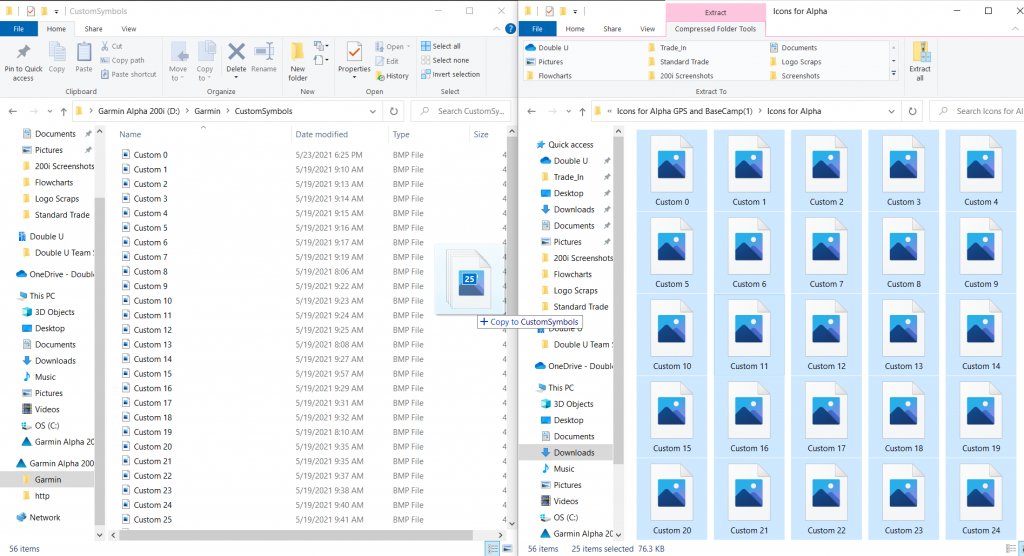
- You will want to drag and drop the actual image files (NOT the containing file folder) from your downloaded files to the folder entitled "CustomSymbols" in your 200i's data files.
- You may have to re-name files with the same name so that others are not overwritten when attempting to download multiple icons (for example, if you already have a file named "Custom 56" in your "CustomSymbols" folder, you may have to re-name a downloaded icon that is also titled "Custom 56" before attempting to move it onto your unit).
- Icon files in Alpha units MUST be named "Custom ##" (e.g. Custom 01, Custom 34, Custom 29, etc.)
- Once the file transfer is complete, you may Safely Remove your Alpha 200i from your PC.
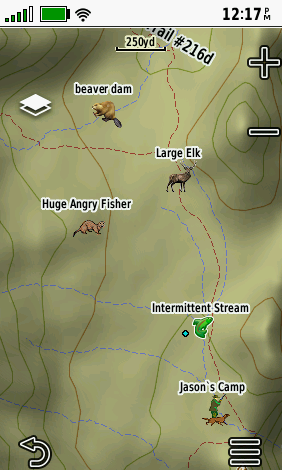
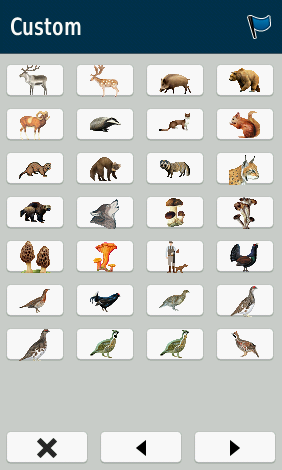
- You can then begin marking waypoints to use in conjunction with the ones that come standard on your Alpha 200i.
- When selecting a new waypoint icon for marked coordinates, you can find your new symbols under the "Custom" section.

