



First you will want to make sure that all other handhelds surrounding you are turned off. This will assure that your DriveTrack71 will pair with your unit and not with another hunter's.
From your home screen, select Setup


Select Dogs
Verify that the Dog Broadcasting is turned “on” (if it says dog broadcasting is “off” simply select “dog broadcasting” then “on”)
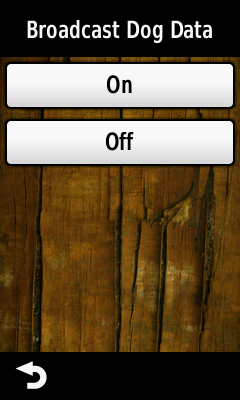

Your Garmin Alpha 100 will now connect with your DriveTrack71
If you experience any issues, verify the DriveTrack has not already connected to another handheld. You can do this by selecting “Dogs” from the home screen then select the menu button in the top left corner (three horizontal lines) and select “Unpair Device” your DriveTrack will now start searching for available devices.


If your Unit is connected to your DriveTrack 71 a green check mark will appear over your dog icon on the home screen.

Note: Your DriveTrack will not show your dog list until your collars are turned on and triple blinking and the Alpha 100 is actively tracking them.

