



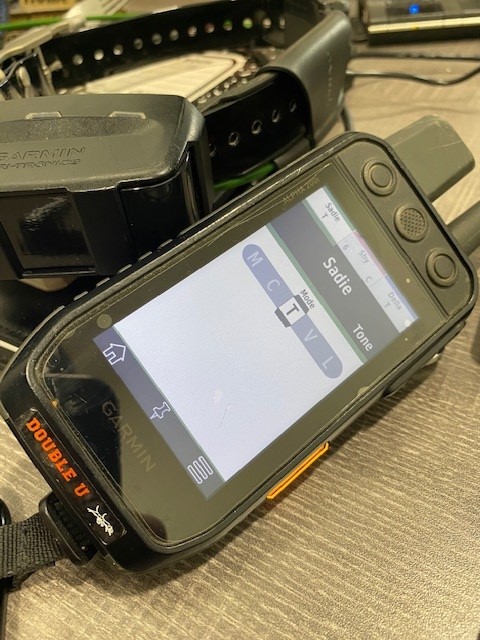
In this post I’ll explain how the update to 3.3 Version software for the 200i improves multiple dog training setups. In addition to this upgrade in training setup, Garmin also put a lot of work into making some other changes to make the Alpha 200 even more user friendly.
Asset list expanded to 250 maximum saved devices.
"Map Detail" setting added.
Group management now allows single asset activation/deactivation.
Improved sync and data transfer to the Explore App.
Asset lists are now searchable by name.
Software updates are important, however in the first year of new products life many of the updates are even more essential. Garmin has been working on a few of the more annoying issues on the Garmin Alpha 200i
The biggest change in version 3.3 is Garmin Brought back the “1 dog per Button" training option. If you had or used an Alpha 100 in this mode you noticed that this feature was clearly missing on the Alpha 200. I don’t want to get into the specific reasons Garmin stripped this feature, but it took some thinking about how it should and should not function with the additional buttons. After some thought, this option is back as a feature again.
With 1 dog per button, you can use all the Training Features of the TT15 Collar with a single Button designated to each dog. For example, with one button you can select between Vibrate, Tone, Stimulate, and Even turn on or off the Tracer Lights on the collar. This is the way many of us running more than 5-6 dogs had our Alpha 100 Handhelds programed.
First a user would need to go into and select your training Default Menu>Training Setup > Training Defaults
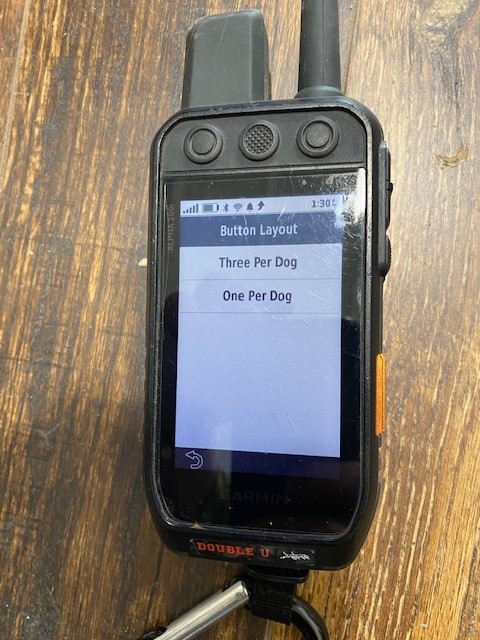
Menu>Training Setup>Training Defaults
Option: One per Dog.
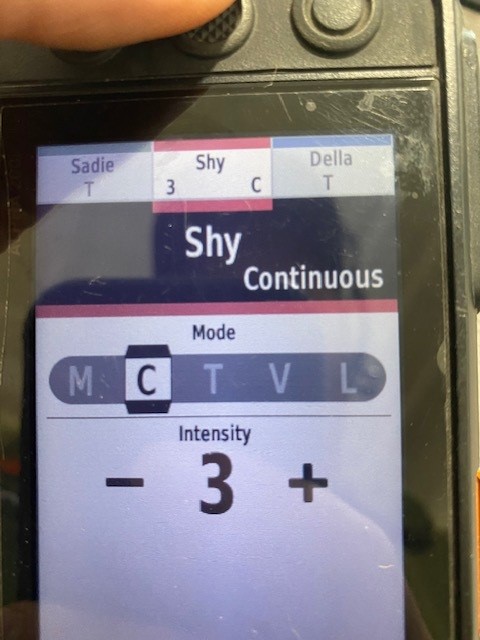
When you set up you Alpha 200i in the "one button per dog" mode, one thing you will notice different than the current 3 buttons per dog options (where the side UP/DOWN buttons change the Stim level) is the function of the side training buttons. In the new "one button per dog" mode, you are able to quickly get to, and stim, more dogs using the side buttons to cycle through your dog’s list. You can simply press the Side, Up/Down buttons which allows the user to quickly scroll through their dogs to access the training features. When a top button is pressed to stimulate, your Alpha 200i will open the training menu showing the selected stimulation type (momentary, continuous, tone, vibrate, or tracer light), however the UP/DOWN button does not change any settings by default because we are going to assume you want to quickly access a different dog.
If the user wants to change the settings on a dog, (For example changing from tone to a Stim, Or Changing Stim 3 to a higher stim level) You would need to use 1 of the two methods below.
The 1st and simplest is to use the touch screen and simply change the settings like you would on the Alpha 100. This is the common way it was done before with the Alpha 100, and it is very simple.
You might ask. What about Glove Friendly? Well Garmin has managed to keep the ability to change settings avoiding the Touch screen. The option to change the settings without using the Touch screen (Or with Gloves on) is also available. The biggest step is before using the side UP/DOWN buttons, which are normally used to cycle between dog pages, you would first enter into a mode where the device knows you want to change the stim commands. This is very simple to do. Press the textured side button we refer to as the “Select” button. This will pull up the training options for the buttons and allows a user to use the UP/Down Buttons to make training changes (Instead of cycling through different dogs). At the end after you have made your changes, either press the top button to send the stim to the dog as desired, or you can again press the textured Select button to exit the change menu.
If you plan on using Glove mode, we highly recommend getting used to these steps to change the mode. After a couple times it will be natural to make changes without using the touch screen.
The Garmin Alpha 200i is used by so many different hunters, in so many different configurations and ways it is challenging to get all situations handled the way we would like them. This change has been one I’ve been looking forward to since they were first launched last year. I am glad we were able to finally get the ability to have multiple Training options on the 200i with a single button per dog like the Alpha 100.
If you have any questions Feel free to give us a call 855-384-8687, All these products are available at www.dusupply.com Until next time Good Hunting!
Buddy

